
Download DS AI Chat – AI chat, AI assistant, local AI, offline AI, DeepSeek, Qwen, chatbot, AI tool, AI for study, AI for work, AI for students, AI for professionals, AI for productivity
Overview
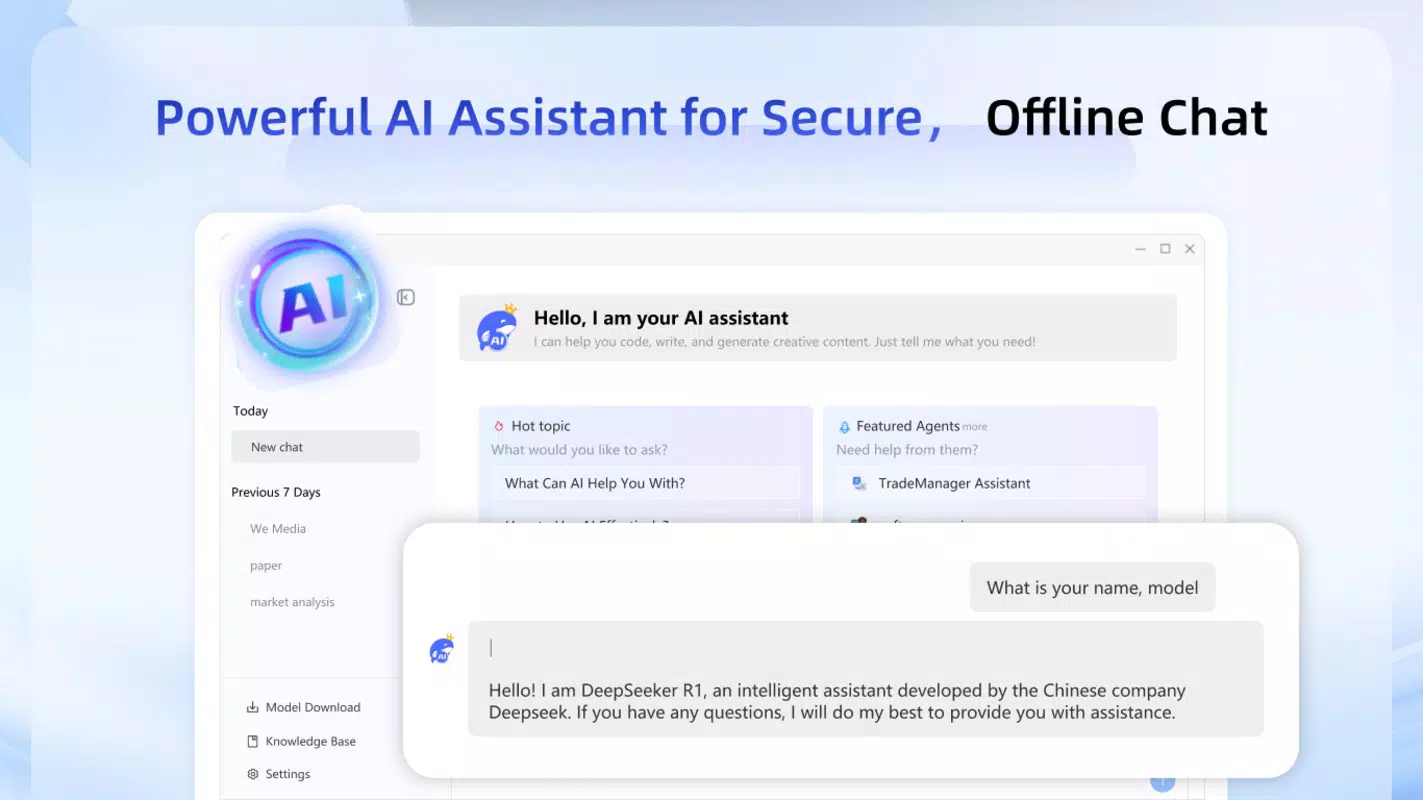
DS AI Chat is a productivity-focused mobile application designed to bring advanced artificial intelligence capabilities directly to users’ smartphones without requiring technical expertise. The app enables seamless interaction with powerful AI models such as DeepSeek and Qwen, allowing users to leverage AI for tasks ranging from academic research and content creation to daily work planning and problem-solving. By operating entirely offline, DS AI Chat ensures that all conversations and data remain private and stored locally on the device, eliminating concerns about data privacy or third-party access.
The app targets a broad audience, including students seeking help with assignments, professionals needing quick summaries or brainstorming support, and individuals who value digital privacy. Its one-click deployment feature removes the complexity typically associated with setting up local AI models, making it accessible even to users with no coding background. This accessibility is a significant step forward in democratizing AI tools for everyday use. In the current app ecosystem, where many AI assistants rely on cloud-based processing, DS AI Chat stands out by prioritizing user autonomy and data security. The developer, DS AI, appears to be focused on delivering a lightweight, efficient, and privacy-first AI experience, positioning the app as a valuable utility for modern smartphone users.
Key Features & Functionality
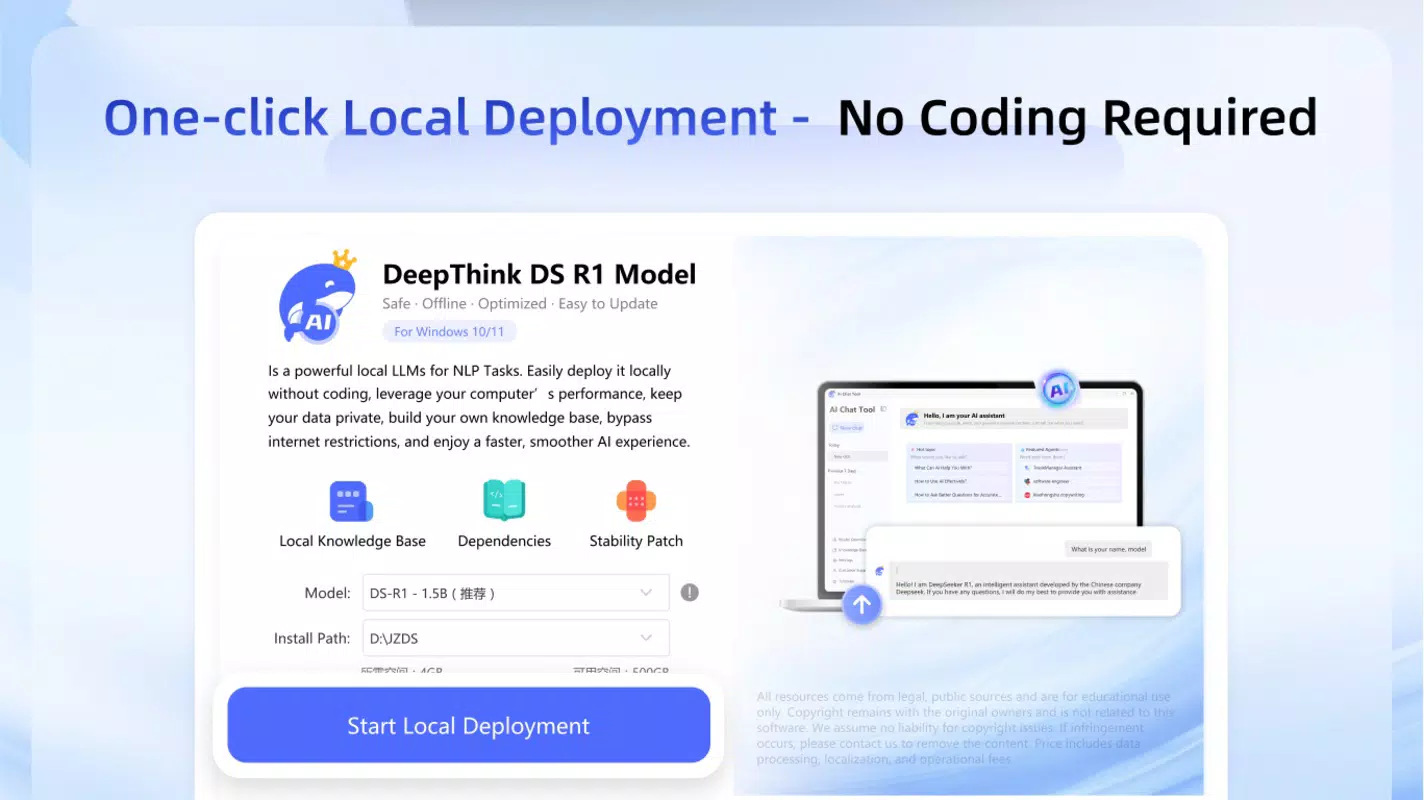
- One-Click Local Deployment: The app simplifies the setup of AI models with a single tap, eliminating the need for configuration files, command-line tools, or technical knowledge. This feature allows users to start using AI immediately after installation, making it ideal for beginners and time-conscious users.
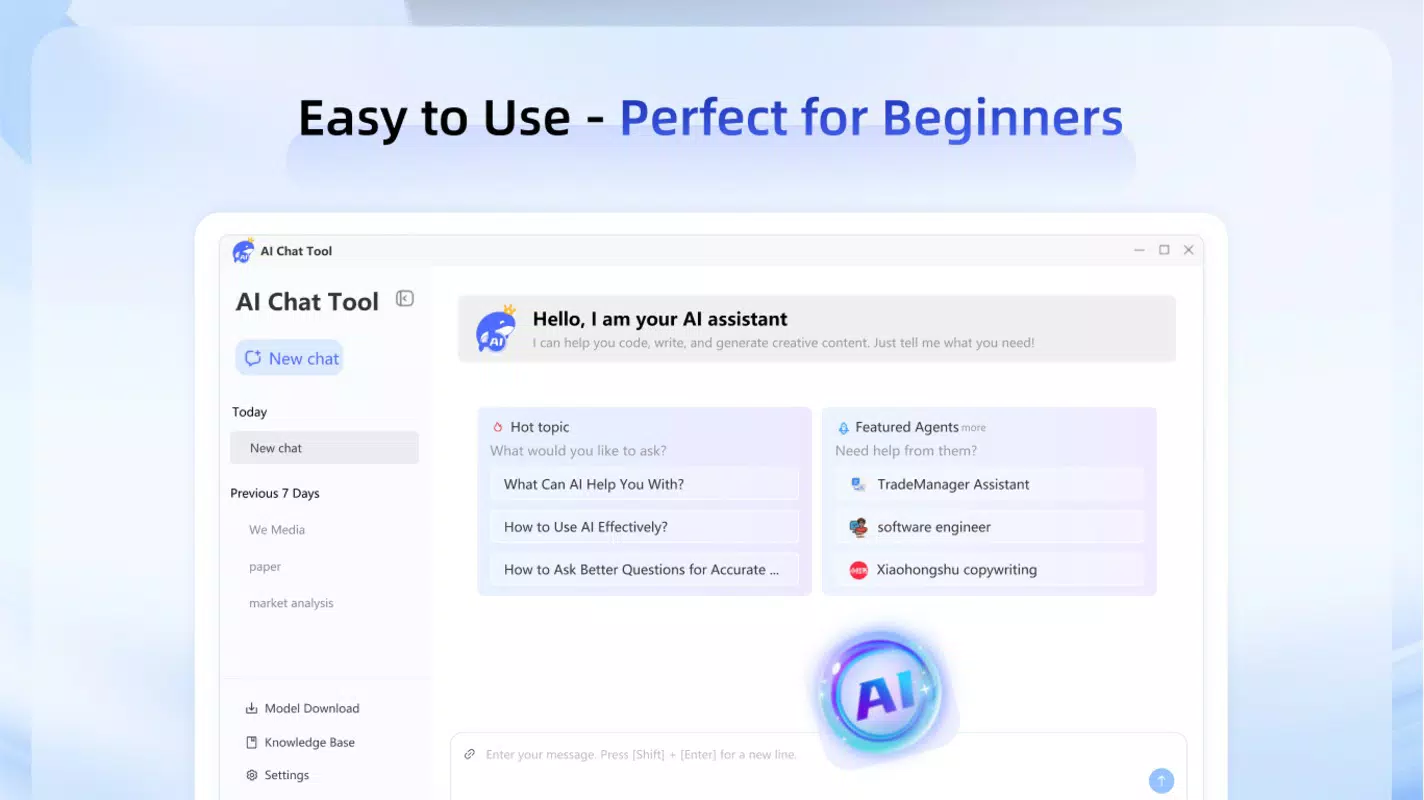
- Intuitive Interface: Designed with usability in mind, the app features a clean layout with clearly labeled sections. Users can initiate conversations, view chat history, and manage settings without confusion, reducing the learning curve significantly.
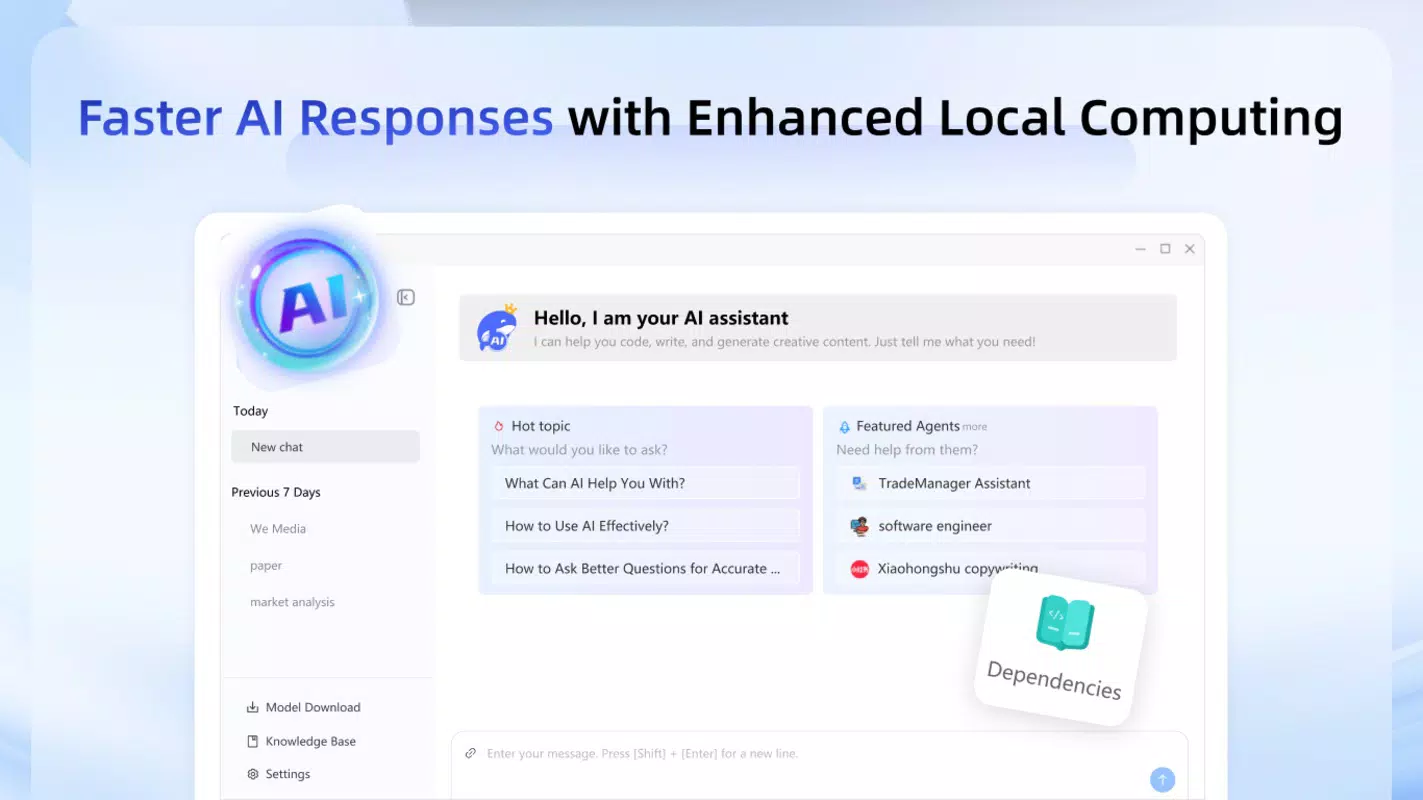
- Faster Local AI Responses: By running AI models directly on the device, DS AI Chat delivers quicker response times compared to cloud-based alternatives. This performance advantage enhances productivity, especially during intensive tasks like writing, coding, or studying under time constraints.
- Complete Offline Operation: All data processing and storage occur locally. No messages or personal information are transmitted to external servers, ensuring that sensitive content remains protected from potential breaches or surveillance.
- Free Access with Optional Upgrades: The app is available at no cost with core features unlocked. For users who want enhanced functionality or a lifetime license, in-app purchases are available, offering a flexible monetization model without recurring subscriptions.
For example, a student can use the app to draft an essay, receive instant feedback on grammar and structure, and save the conversation locally without uploading it to the internet. Similarly, a professional can use it to summarize lengthy reports or generate meeting notes without relying on external services.
Interface, UX & Performance
The user interface of DS AI Chat is designed to be minimalistic and focused on functionality. The layout emphasizes conversation flow, with a chat-style display that presents messages in a clear, chronological order. Navigation is straightforward, allowing users to switch between conversations, access settings, and manage model preferences with minimal taps. The visual design avoids clutter, using neutral colors and legible fonts to maintain readability across different screen sizes.
Although the developer did not list formal performance metrics, the app’s emphasis on local processing suggests optimized resource usage. It is likely to perform well on mid-to-high-end Android devices, though performance on lower-end hardware may vary depending on the device’s processing power and available RAM. The app appears to be stable during regular use, with no reported issues related to crashes or freezes.
Responsiveness is consistent, with quick loading of messages and smooth scrolling through chat history. The app maintains stability even during extended usage sessions, which is critical for users relying on it for productivity tasks. Overall, the UX is streamlined and efficient, aligning with modern mobile design standards.
Platform Compatibility & Technical Requirements
DS AI Chat is available exclusively on the Android platform. The current version is 1.0.1, with a file size of 25.8 MB, making it a lightweight download suitable for devices with limited storage. The developer did not specify minimum OS requirements or compatibility details beyond the platform.
As such, users should ensure their device meets general Android system standards for running modern applications. Compatibility information was not fully disclosed, so installation may depend on the specific device configuration and Android version. The app’s offline nature suggests it may function on older Android versions, but this has not been confirmed by the developer.
Pros and Cons
Pros
- Runs entirely offline, ensuring full data privacy and security.
- One-click setup eliminates technical barriers for non-developers.
- Fast response times due to local AI processing.
- Free to use with basic features available at no cost.
- Intuitive interface suitable for students and professionals alike.
Cons
- Platform availability is limited to Android only.
- Specific technical requirements were not listed.
- May require significant device resources for optimal performance.
- No information provided about future updates or feature roadmap.
- Limited to DeepSeek and Qwen models; no option to add other AI models.
FAQ
Is DS AI Chat safe to use?
Yes, the app operates entirely offline, meaning no data is sent to external servers. All conversations are stored locally on the device, making it a secure choice for privacy-conscious users.
Can I use DS AI Chat without an internet connection?
Yes, the app is designed for offline use. You can access and interact with AI models even without an active internet connection.
Are there any hidden fees or subscriptions?
The app is free to download and use. Optional in-app purchases are available for additional features, but there are no recurring subscription fees.
What AI models does DS AI Chat support?
Currently, the app supports DeepSeek and Qwen. No other models are available at this time.
How often is DS AI Chat updated?
The developer did not provide information about update frequency. Users should check the app store for the latest version.
Final Thoughts
DS AI Chat presents a compelling solution for users seeking a private, fast, and easy-to-use AI assistant on their mobile devices. By combining powerful AI models with a no-code setup and complete offline functionality, it fills a growing need for accessible and secure AI tools. The app is particularly well-suited for students, researchers, and professionals who value both productivity and data confidentiality. Its free base version with optional upgrades offers a fair balance between accessibility and monetization. With its clean interface, efficient performance, and strong privacy focus, DS AI Chat stands out in the crowded productivity app space.
Download DS AI Chat now


